
Washington, United State, August 6th, 2026, GamingWire
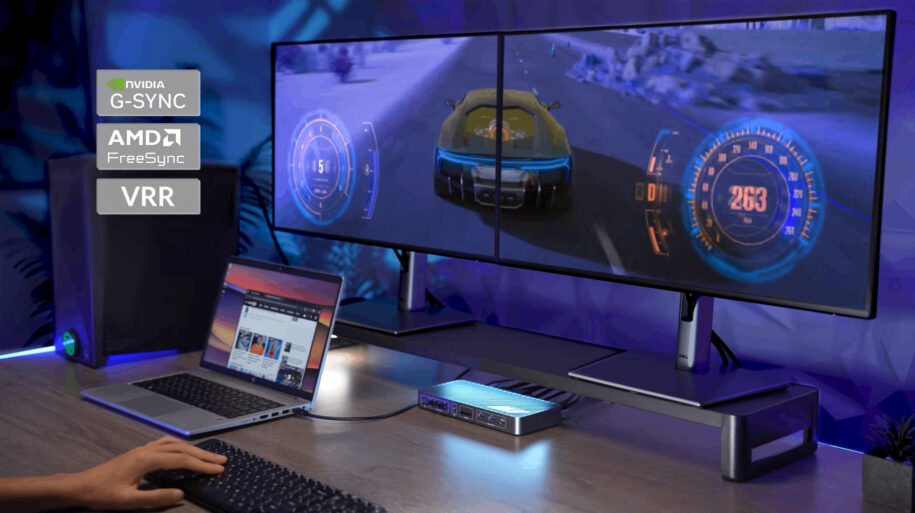
Hands-on testing with an NVIDIA GeForce RTX 4080 gaming PC verified dual 4K@165Hz output, G-SYNC compatibility, stable peripheral sharing, and reliable performance across extended gaming sessions.
AV Access, a global provider of Pro AV, KVM, and connectivity solutions, has published hands-on performance results for the iDock B10 8K KVM docking station in a dual-monitor competitive gaming setup.
The test evaluated a typical dual-system battlestation consisting of a high-performance Windows gaming desktop, a USB-C business laptop, two high-refresh-rate 4K monitors, and a shared keyboard, mouse, headset, network connection, and USB storage.
In the tested desktop configuration, the iDock B10 successfully delivered dual 4K@165Hz output with G-SYNC enabled and maintained stable display, USB, and audio performance during extended gaming sessions.
A Typical Gaming and Work Setup
The gaming desktop used in the hands-on test included:
- Intel Core i7-13700K processor;
- NVIDIA GeForce RTX 4080 graphics card;
- 32GB of system memory;
- 2TB NVMe SSD;
- Windows 11;
- Two native 4K 165Hz gaming monitors.
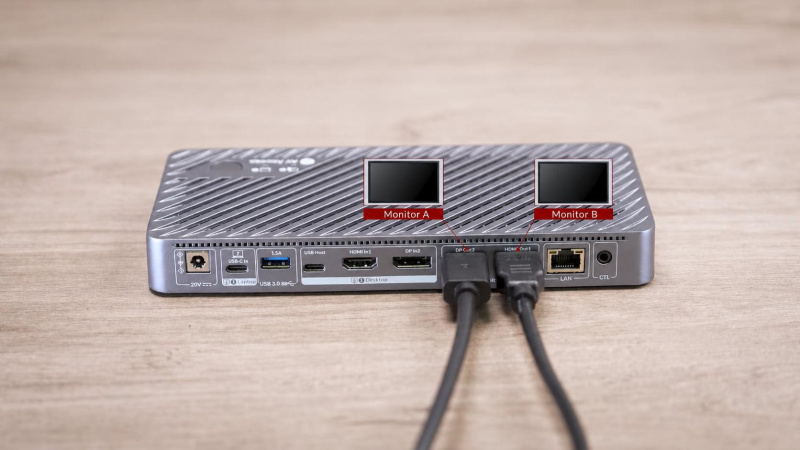
The gaming desktop connected to the iDock B10 through HDMI, DisplayPort, and USB. A USB-C laptop was connected through a single cable for video, data, network access, shared peripherals, and charging.
The laptop configuration included:
- HP ProBook 440 G8;
- Intel Core i5 processor;
- Intel Iris Xe graphics;
- 16GB of system memory;
- 512GB SSD.
This setup reflects a common use case for competitive gamers who use a powerful desktop for gaming and a separate laptop for work, communication, or everyday productivity.
 Dual 4K@165Hz Verified on the Gaming Desktop
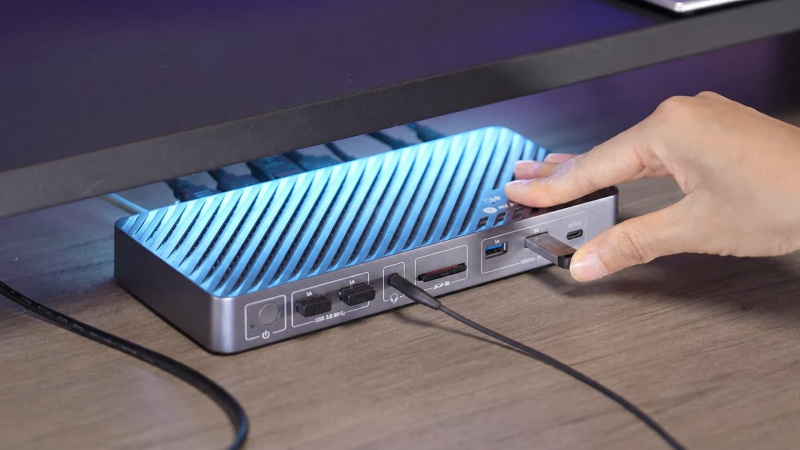
With both gaming monitors connected, the iDock B10 successfully delivered dual 4K output at 165Hz from the NVIDIA GeForce RTX 4080 desktop.
Both displays were recognized at their native refresh rates. G-SYNC operated normally in the tested configuration, helping maintain smooth visual performance during fast-paced gaming.
Throughout extended gaming use, the test setup showed:
- No display blackouts or signal losses;
- No resolution, refresh-rate, or G-SYNC interruptions;
- No USB keyboard, mouse, or headset disconnects.
These results apply to the specific hardware, cable, driver, and operating-system configuration used during testing. Performance may vary with different graphics cards, monitors, cables, drivers, and system settings.
 Resolution and Refresh-Rate Compatibility
The following results cover display configurations evaluated during hands-on testing, along with additional resolution and refresh rate modes supported by the iDock B10.
Tested Display Configurations:
1.Gaming Desktop + Dual Monitors
- Dual 4K@165Hz output — Passed
- Dual 4K@165Hz with G-SYNC enabled — Passed
2.Work Laptop + Dual Monitors
- 4K@60Hz + 1440p@60Hz mixed display setup — Passed
Additional Supported Configurations:
1.Gaming Desktop + Single Monitor
- 1080p@240Hz — Supported
- 1440p@165Hz — Supported
2.High-Resolution Display Setup
- Dual 8K@60Hz output — Supported (requires compatible DisplayPort 2.0 cables)
3.USB-C Laptop Setup
- Dual 4K@60Hz output — Supported
- 4K@120Hz output — Supported
- 4K@165Hz via HDMI with DSC enabled — Supported
Actual performance may vary depending on source bandwidth, monitor capabilities, drivers, and cable specifications.
Stable Keyboard, Mouse, and Headset Switching
The iDock B10 was used several times each day to switch between the gaming desktop and the HP business laptop.
The shared keyboard, gaming mouse, and USB headset were recognized after switching without requiring cables to be disconnected and reconnected. Mouse response, keyboard input, and headset audio remained stable during the test, with no observed USB or audio dropouts.
The iDock B10 does not support EDID emulation. As a result, the monitors re-detect the selected source during each switch. In the tested high-resolution configuration, the displays required a few seconds to fully return after switching.
The wired remote button allowed the user to change systems without reaching behind the desk or manually changing the input on each monitor.
USB Storage and Connectivity Performance
Selected USB-A and USB-C ports on the iDock B10 support data-transfer rates of up to 10Gbps.
External USB devices remained recognized and stable across both computers. No synthetic SSD benchmark was performed, so AV Access does not publish unverified speed claims.
In addition to USB storage and peripherals, the iDock B10 provides:
- 1Gb Ethernet shared between the two computers;
- Up to 100W USB-C Power Delivery for the connected laptop;
- An SDXC card reader;
- Shared 3.5mm audio connectivity;
- Multiple USB-A and USB-C expansion ports.
Designed for Competitive Gaming and Everyday Work
“Competitive gamers need more than high resolution alone. They need stable refresh rates, responsive peripherals, and reliable performance throughout long gaming sessions,” said Bill Liao, CTO of AV Access.
“Our testing focused on a practical dual-system environment with a high-performance gaming desktop and a USB-C work laptop. In the tested configuration, the iDock B10 maintained dual 4K@165Hz output while allowing both computers to share the same monitors, keyboard, mouse, headset, storage, and network connection.”
Testing Notes
The results in this release are based on hands-on testing with the hardware configuration described above.
The gaming desktop was tested over several weeks in a dual-monitor environment. The system was used for extended gaming sessions and switched between the desktop and laptop multiple times per day.
Results should not be interpreted as a guarantee of identical performance with every GPU, monitor, cable, laptop, operating system, or peripheral combination.
Availability
The AV Access iDock B10 for gaming is available through the AV Access official online store and selected sales channels.
About AV Access
AV Access is a global provider of Pro AV, KVM, AV over IP, and conferencing solutions. Its portfolio includes KVM switches and docking stations, HDMI and KVM extenders, AV over IP solutions, signal distribution products, and wireless conferencing devices.
AV Access develops connectivity solutions for gaming, content creation, hybrid work, corporate, education, healthcare, retail, and other professional applications.